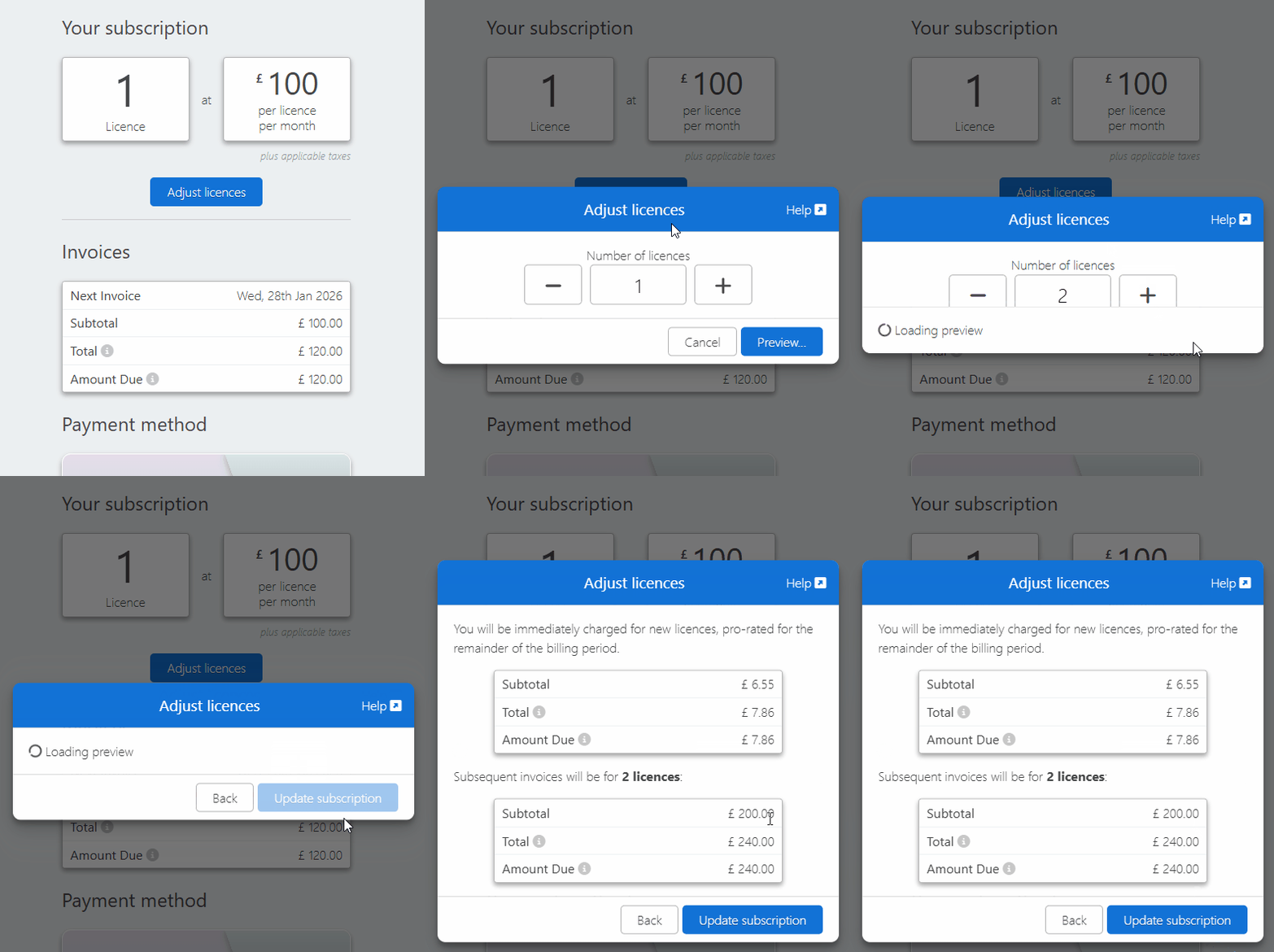
You need licences for your mobile staff. This guide explains how to adjust and allocate licences, and how increasing or decreasing your licence count will affect your bill.
Increasing your licences has the following effect:
You'll immediately be charged for new licences, pro-rated for the remainder of the billing period.
Subsequent invoices will reflect the new number of licences.
Note: The pro-rated charge is calculated by multiplying the percentage of days remaining in the billing period by the licence cost.
Example 1:
You pay £100 / month for your licences
Your billing period starts on the 1st of each month
You add an additional licence on the 15th of April
April's billing period is 30 days, meaning there are 15 days remaining in the period
15 is 50% of 30, so you'll pay a pro-rated charge of 50% of £100 = £50
Example 2:
You pay £100 / month for your licences
Your billing period starts on the 1st of each month
You add an additional licence on the 24th of April
April's billing period is 30 days, meaning there are 6 days remaining in the period
6 is 20% of 30, resulting in a pro-rated charge of 20% of £100 = £20
Removing Licences
When you remove licences, we schedule the change for your next invoice.
You can then re-add licences back to the original number without being charged. If you add more than the original amount, you will be charged a prorated amount for the remainder of the billing period (see notes on Adding Licences)
Adding and Removing Licences in the Same Billing Period
When you adjust licences within the same billing period, we ensure you don't pay twice for the same licence.
Example: Removing One Licence, Then Adding One Licence
You have three licences on your account.
You decrease to two licences.
You then increase back to three licences before the next invoice is raised.
There is no immediate charge.
Example: Removing One Licence, Then Adding Two Licences
You have three licences on your account.
You decrease to two licences.
You then increase to four licences before the next invoice is raised.
There is no immediate charge for three licences.
There is a pro-rated invoice for one licence as it is more than your original amount.