
Search our knowledge base, guides, features, case studies... everything!

In v1.0.66 of the mobile app, copied items are highlighted for review, making it easier to methodically work through them and make changes.
The ability to Copy Multiple Inspection Items is one of the most powerful features of Flow Mobile Surveying. It's a huge time-saving feature when surveying a building with similar rooms.
v1.0.66 enhances the copy functionality by highlighting recently copied items for review until they've been re-saved.
In older versions of the mobile app, copied inspection items looked the same as the original items. So it was easy to feel a bit lost.
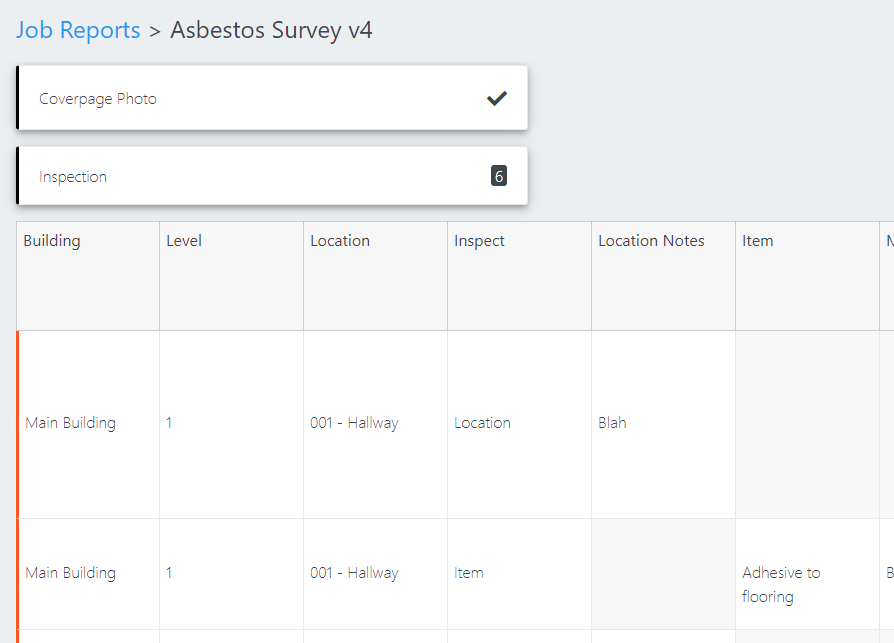
In v1.0.66 of the mobile app, we highlight copied inspection items in red, indicating that some further action is needed. This could be as simple as just checking the item over and make sure its ok. The red highlighting means you can methodically work through copied items, removing the highlighting as you go – to ensure the new data is correct for each one. Awesome!

After copying an inspection item, the mobile app will highlight any new items in red. This highlighting will stick around, even if you close and re-open the mobile app.
To remove the highlighting, you'll need to save each newly created inspection item, indicating that you've checked the data and are happy with any changes.
When you Copy a Report, we now highlight inspection items on the newly created report in red until you've resaved them, neat!
An example of when this comes in handy is during an asbestos survey re-inspection. Using this new feature, you can systematically work through the previous inspection points when you're on-site. I know this will be a gamer changer for many of our clients.
V1.0.66 is now available for download on the Google Play Store and Apple IOS Store. To download this latest version of the mobile app, follow the instructions below.
Hi, we're The King Brothers.
Our software helps you create high-quality asbestos survey reports in minutes.
Do you want to see how?
